Skip to content
About Garden

Blog

[MCV] Taccia Hokusai Sabimidori (Rusty Turquoise) Ink

I came across the word “sheen” in the world of fountain pen ink when I browsed r/Calligraphy on Reddit. At the subreddit, I regularly saw someone’s posts using this kind of ink with great, beautiful sheen. (And his great masterpieces absolutely.) This guy I called him Lambroghini because of his reddit account, but maybe it’s proper to call him Leonardo, as indicated in his Instagram profile.

I got impressed by a ink he used in his post, which is Tesla Coil made by Birmingham Pen Company in US.

The color and sheen shown below: (official image)
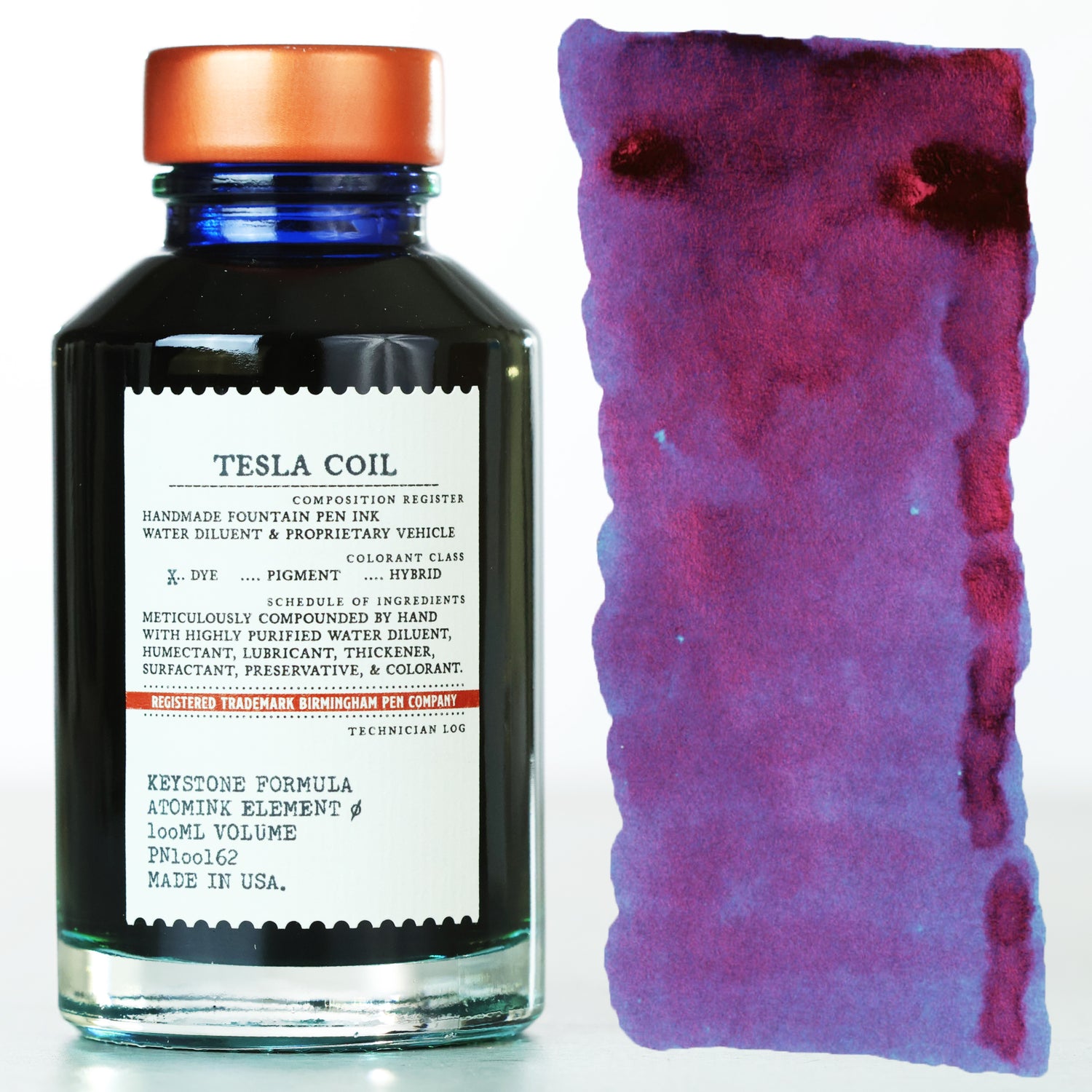
tesla coil ink official image

Recently I went to a local fountain pen shop, I asked the stuff if they sell the Tesla Coil ink. They said they don’t sell any Birmingham inks. I also took a look on local shopping sites, amazons (US & Japan), nothing found. And sadly, Birmingham’s official website does not support international shipment. Oh, NO!

Then I asked the stuff to recommend similar inks with sheen. (But not limited to similar color) He recommend two inks, both of them are the Ukiyo-e ink series made by Taccia:

  • Hiroshige Ruri (広重(ひろしげ)瑠璃(るり))
  • Hokusai Sabimidori (北斎(ほくさい)錆緑(さびみどり))

PS. For more detailed and professional review about these inks, I recommend reading posts from Mountain of Ink. (Ink Review #1348: Taccia Hokusai-sabimidori — Mountain of Ink and Taccia Hiroshige Inks — Mountain of Ink)

And I love the color of Hokusai Sabimidori at the first sight, almost decided to buy it immediately. 😆

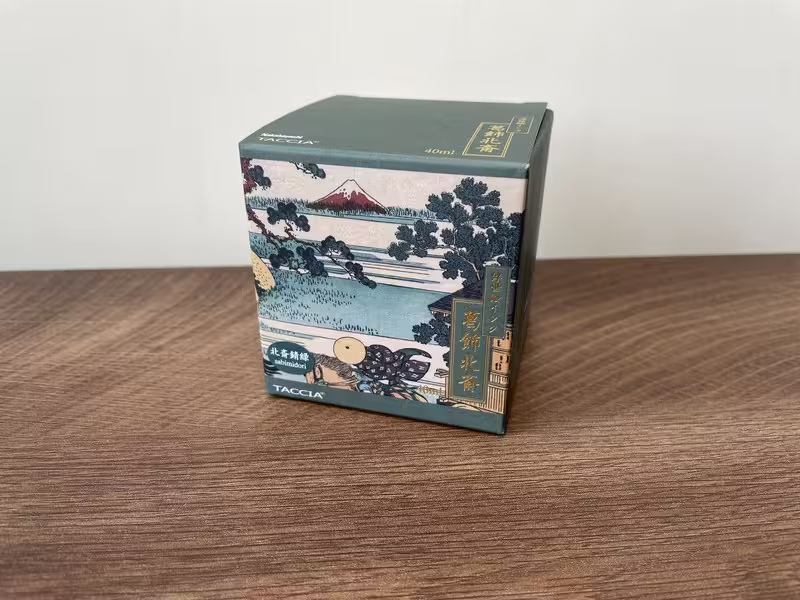
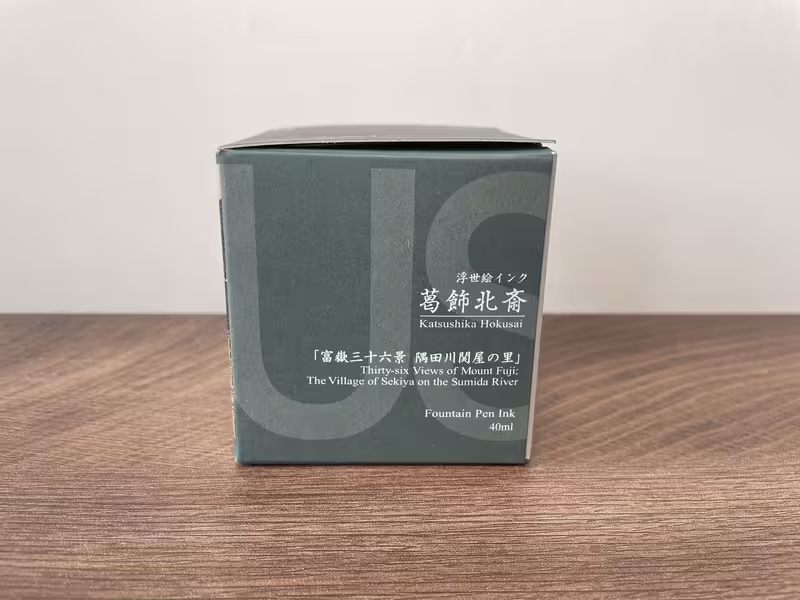
Here we started from the box! The design of box is inspired by Ukiyoe from Japan.
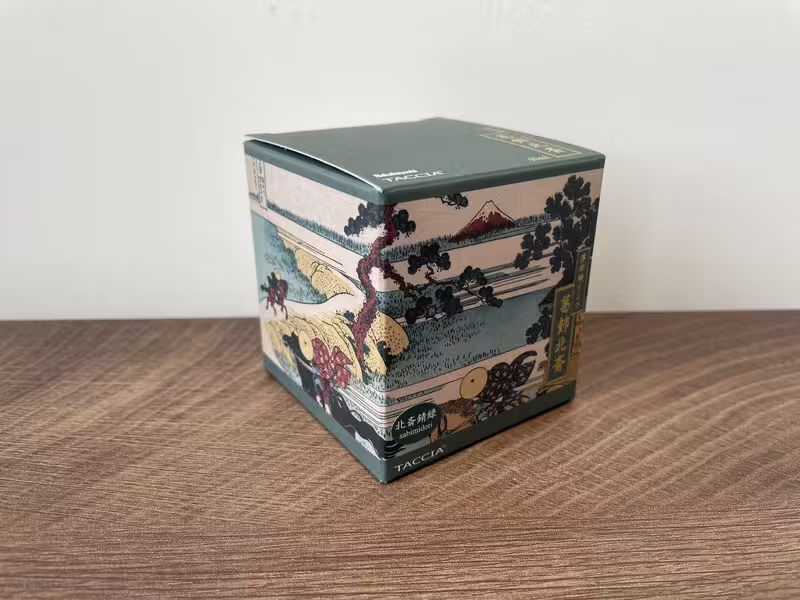
temp-Image-ZXK00-O.avif temp-Image6-Tj2-Ov.avif temp-Imagect-Rs-Jy.avif

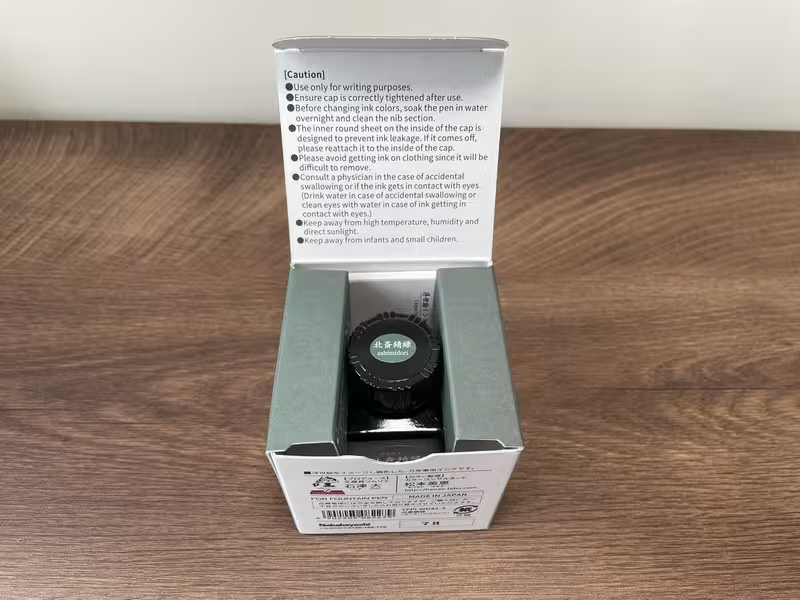
Let’s open it!

temp-Image57-Ls-PK.avif

A bottle of ink and a pamphlet. Here’s all we have.
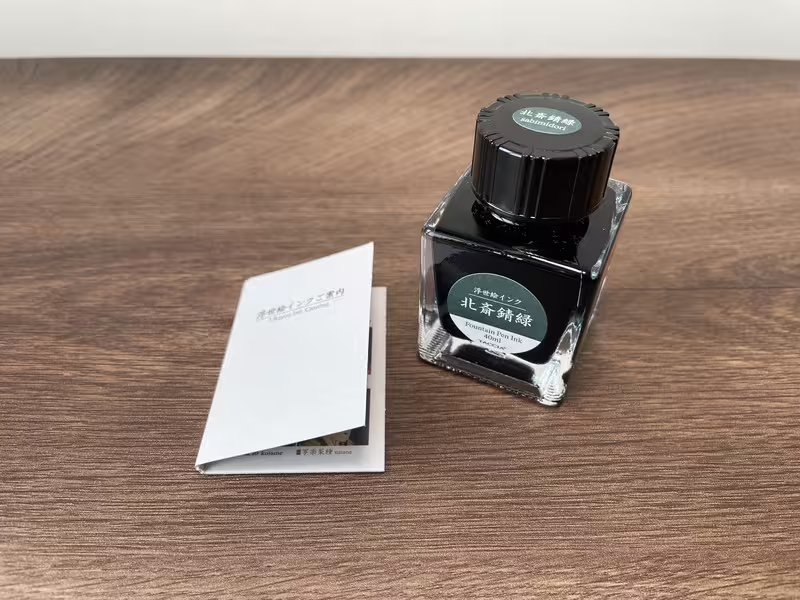
temp-Image-Phr8xe.avif

Inside the pamphlet is a brief introduction about Ukiyo-e series.

temp-Image-W7-EXu-D.avif

Actually there are already 16 inks in the series at the time writing. (Jun/2025)

I just want to discuss a little bit about the name: Hokusai Sabimidori.

For Hokusai (北斎(ほくさい)), as wiki suggests, is a Japanese ukiyo-e artist.

As Sabimidori (錆緑(さびみどり)), it can be divide into two characters. Sabi ((さび)) means rust in Japanese, while midori ((みどり)) means green.

So sabimidori means rust green, or rusty green.

It’s time to try the ink! I tried it on two paper: Midori MD and Tomoe River.

temp-Image-Nf-JQXu.avif temp-Image-QN0w6-R.avif

The rusty sheen is soooo beautiful!

I realize the ink will change the color when drying:

temp-Image0-K35-Ta.avif

As you can see, when the ink is wet (lower stroke), it looks like Prussian blue. Then after it drys, it becomes green, which is between turquoise and emerald , but more close to turquoise. And of course with rust at ink pond!

Here’s final shot!

temp-Image-IMJMpw.avif

DEFINITELY LOVE IT!

Thanks for reading. Happy writing!

[MCV] Intro to My Calligraphy Voyage

This series are talking about my experiences, notes, thoughts when learning calligraphy.

As an lefty, faced many difficulties and might have different learning paths from right-handed people.

So I decided to write down something to share with people interested in calligraphy, especially lefty fellows. 😆

The series should have a name to make it easy to memorize, I call it “My Calligraphy Voyage”, abbreviated with “MCV”.

Last words to say:

Keep smudging, keep your hands dirty and enjoying calligraphy. 😎

Happy writing!

[MCV] My Equipment for Calligraphy

Here I just want to share what I used to practice calligraphy.

The list might be changed in the future, I will go back and update it if I remembered.

my equipment

I started learning calligraphy by buying my first Pilot Parallel pen (3.8mm). I have also tried dip pen, and sold it after giving it a try, only found that not suitable for myself as a lefty. Until now, my main pen are all Pilot Parallel pens. Other pens are not mainly used for calligraphy, they are used as auxiliary purpose.

Here’s my pen list:

  • Pilot Parallel pen 3.8mm: mainly used
  • Pilot Parallel pen 3.8mm: mainly used
  • Pilot Parallel pen 5.0mm
  • Pilot Parallel pen 1.2mm
  • Pilot Shaker Mechanical pencil 0.5mm: for drawing guidelines
  • Pilot Super Knock 0.7mm (BPK-P-WFBA): for drawing guidelines
  • Pilot Super Grip G 1.6mm (BPS-GG): for drawing guidelines

“Why all pens are Pilot?”, you might ask. I realized it when I made the list, it was just coincident. 🤣 I just bought pens that suitable for my writing habits. By the way, if you really want to know, my favorite brand of pen is Zebra when I was a student. But that was for hand writing, not calligraphy.

For ink now, I don’t have too much right now.

Blue inks are suitable for practicing and learning in my opinion.

I am not a ink collectors like many people do on Reddit r/calligraphy. But willing to join them if necessary. 😆 Only when I get huge improvement of my calligraphy skill and would like to write some cards to friends, it’s better to expand the color options to make more fun. The inks Pilot Iroshizuku (色彩雫) series from Japan have many choices and they looks beautiful. (from color and naming aspect) Inks with great sheen like Diamine from UK looks beautiful, too. I really want to give them a try in the future.

Paper is another important equipment for calligraphy.

  • MIDORI Paperpad A5 size: MIDORI is a famous brand from Japan in stationary fiel, no need to explain more here.
  • Xiangqiu (象球牌) paper for fountain pen: It’s the paper produced by a brand in Taiwan. It seems pretty famous at local writing community for great writing experience with fountain pen. Further more, the price is very cheap, suitable for daily practice.

Some tools worth to mention:

  • LED light table: china brand, with color temperature control, brightness control, magnetic pin supported
  • COX plastic ruler 40cm
  • Writing pads: brand from Tylee Pen Shop (famous stationary shop, mainly focus on fountain pens & inks)
  • Pen tray: preventing pens from rolling around at desk
  • Ink injector (refiller)

That’s all! Thanks for reading!

Happy writing! ✍️

Type Safety and Runtime Safety Part.1/2: model, validator & data

TypeScript makes JavaScript even stronger with a strongly-typed system, which is a merit for developers. TypeScript checks our static code before running it. That is so called type safety. However, runtime safety is checking our code at runtime with real data. In runtime, TypeScript files are already compiled to JavaScript. So static type check is not available.

It means: type safe does not mean runtime safe

The post is divided into two parts.

In part 1 here, I want to discuss about runtime validation. And in part 2, I want to share some use cases with Nuxt3 as example.

  • Basic knowledge: JavaScript, TypeScript, zod

It starts with a story. Here we have two developers, John & Bill.

John wrote a utility function and shared to his team:

utils.ts
export function printList(list: (string | number)[]): void {
list.forEach((item) => {
console.log(item);
});
}

The parameter list is limited to array, TypeScript will take an eye on everyone who call this function, and check if type of list is correct. It seems no problem to John. So he transpiled it into JavaScript, here is the result:

utils.js
"use strict";
Object.defineProperty(exports, "__esModule", { value: true });
exports.printList = void 0;
function printList(list) {
list.forEach(function (item) {
console.log(item);
});
}
exports.printList = printList;

One day, Bill imported this file to use printList function:

product.js
const { printList } = require("./utils.js");
const myList = [1, 2, 3, "a", "b", "c"];
console.log(printList(myList));
const myIllegalData = "hello"; // <-- this is illegal!
console.log(printList(myIllegalData)); // <-- will throw error

Without type definition, Bill used illegal parameter accidentally, then the function was broken after ran it:

runtime error

When John created the function, he expected the parameter should be an array. But someone may use it in the wrong way. (without type definition file *.d.ts)

Expected parameter is different with actual parameter, which means type (or model) is different from data. I call it mismatch (or misalignment) between type and data personally. If John did runtime check, the function would be unbreakable.

It is crucial to do runtime check, more then type check in my own opinion. As an frontend developer, we always get data from outside our code, mostly from API. External sources are likely to change or update without notifying us. So it is important to do validation right away when we got some data.

I recently use a validation library called zod, which is very suitable for runtime validation.

As the documentation introduced itself:

TypeScript-first schema validation with static type inference

It has good capability to TypeScript, and can do validation with type inference.

Personally, I would like to define a model first, because model is the blueprint of data. Second, we need validator to validate the data at runtime. Since I am using zod, it is very typed-friendly to infer an validator with model. Then when receive data, we use the validator to do the validation.

Here we have three parts:

  1. Model: Using type definition in TypeScript.
  2. Validator: Using zod to build up validators.
  3. Data: Validate the data using validators.

In fact, both model and validator make restriction to the data. The difference is, models restrict data statically (before runtime), validators restrict data dynamically (at runtime). Besides, validators can do stricter restriction than what models do. I will explain it later.

As Single Source of Truth or SSOT, our truth here is the model. The shape of a validator is inferred by the model, no matter what other strict validation we put on, it is still under restriction of the model. Then the data should follow the rule that validator provided.

Model is a blueprint of data, or origin of data. Each data value might vary, but data type should remain the same.

For example we have a model User to define what a user should look like:

enum Gender {
Male,
Female,
Other
}
type User {
name: string;
age: number;
gender: Gender;
}

So an user includes name, age, gender as above:

  1. Name is defined as string with no doubt.
  2. Age is a number, an positive integer actually, but TypeScript only provide number type, so we have no choice.
  3. Gender is defined as an enum called Gender, actually it is also a number.

Here we use zod to build the validator, zod will check the validator with the type we provided:

const userValidator: z.ZodSchema<User> = z.object({
name: z.string().min(1),
age: z.number().int().nonnegative(),
gender: z.nativeEnum(Gender),
})

As we can see, in validator, we define our value precisely:

  1. Name: Empty string is not allowed.
  2. Age: Only nonnegative integer is allowed. No -5 year old, no 15.5 year old.
  3. Gender: Here we only have male (0), female (1), other (2), other values are not allowed.

Here is what I said validator is stricter than model.

After that, we can validate data with it at anywhere we want:

const userValidation = userValidator.safeParse(userData);
if(userValidation.success){
// validation is passed, congrats!
// ...
} else {
// validation is not passed, throw error, print logs or do anything to handle errors
// ...
}

So we have much confident with our code right now! No more fear about being bombarded by illegal data!

In the next part, I want to discuss with some use cases.

Hope this post is helpful to you!

Happy coding.

Type Safety and Runtime Safety Part.2/2: page, route guard & API

The post is divided into two parts. If you want to read part 1 first, please go to here.

As part 1 is about runtime validation. Part 2 will focus on use cases. I will use Nuxt3 as example.

Here I have 3 use cases: page, route guard (Vue route) and API.

  • Basic knowledge: JavaScript, TypeScript, Nuxt3, Vue3, zod

Suppose we have a post list page with route: /posts?page=3&sort=desc&limit=20.

Then let’s define the route parameter model:

enum Sort {
ASC = 'asc',
DESC = 'desc',
}
// PS. RP means route parameter, which is my naming preference.
interface RPPostList {
limit?: number;
page?: number;
sort?: Sort;
}

And validator:

const RPPostListValidator: z.ZodSchema<RPPostList> = z.object({
limit: z.coerce.number().int().positive().max(50).optional(),
page: z.coerce.number().int().positive().optional(),
sort: z.nativeEnum(Sort).optional(),
});

The data we plan to validate is from url. That means we will only get value with string type. So the values from page and limit should be transformed into number before validate it. Otherwise, we will get "3" instead of 3 from page. Thankfully, the latest version of zod has coerce method, we can transform it easily.

  • page: page means current page number, so it should be positive integer.
  • limit: limit means how many items per page, which is also a positive integer. Besides, it is limited to 50 as maximum value due to performance concern. Of course we can define it in the backend.
  • sort: sort is limited to desc or asc.

In the page component, here is the process:

  1. We get query string from url with route.query in Nuxt3.
  2. Validate the query string.
  3. After safely parsed the data, we can do whatever we want.

Here is an example:

src/pages/posts.vue
<script setup lang="ts">
import { SafeParseReturnType } from 'zod';
const route = useRoute();
const queryStringValidation = computed<SafeParseReturnType<RPPostList, RPPostList>>(() =>
RPPostListValidator.safeParse(route.query),
);
const currentPage = computed<number>(() => {
if (queryStringValidation.value.success) {
// if query string has page, return page, otherwise, return 1
return queryStringValidation.value.data?.page ? queryStringValidation.value.data.page : 1;
} else {
// if validation failed, return 1 whatsoever
return 1;
}
});
const currentSortType = computed<Sort>(() => {
if (queryStringValidation.value.success) {
return queryStringValidation.value.data?.sort ? queryStringValidation.value.data.sort : SortingEnum.DESC;
} else {
// if validation failed, return desc as default sorting
return Sort.DESC;
}
});
</script>

For currentPage, if query string didn’t have page value, or giving something strange page like ?page=-1, ?page=hello, then we will give page number 1 as default. Same as currentSortType.

Consider we have a post page with route: /post/:id.

The route middleware in Nuxt3 will triggered before entering the page. So it is very suitable to make a route guard using route middleware.

/src/middleware/postGuard.ts
import { z } from 'zod';
// PS. RP means route param, which is my naming preference.
interface RPPost {
id: number;
}
const RPPostValidator: z.ZodSchema<RPPost> = z.object({
id: z.coerce.number().int().positive(),
});
export default defineNuxtRouteMiddleware((to, _from) => {
const isValid: boolean = RPPostValidator.safeParse(to.params);
// if validation failed, redirect to home page
if (!isValid) {
return navigateTo('/');
}
});

As the validator shown above, id is considered as post id. The post id in our database will be PK, or primary key. And primary keys are positive integers. So it is unnecessary to go to page like: /post/-123, /post/2.35 or /post/hello. Without asking the database, we have confidence to say that there’s no such a post in our database. So we can directly redirect it to home page or error page.

Incoming url might be various and unpredictable. (Or should I say untrustable? Sounds like a skeptic, LOL.) So it is safer to do strict check before we use it.

Speaking of untrustable, it remind me of an quote from a great assassin Altair, once he said:

Nothing is true, everything is permitted.

Altair

Here we can say:

Nothing is true, everything should be validated. 🤘

When encounter an API, I asked myself:

  • Which data is unsafe and needs validation?
  • When each validation failed, how to handle the error?

Until now, the process below is what I think as a good practice:

  1. Validate incoming payload: from route params & query string
  2. If failed, throw 400 bad request
  3. Query data, DB connection
  4. Validate raw data
  5. If failed, throw 500 internal server error
  6. Return data as response

Here’s an Nuxt3 server API for querying single post data. The endpoint is /api/post/:id using GET http method. To demo, I gathered all models and validators together for easy reading. For real world use, they will be placed in other directory respectively.

/src/server/api/post/[id].get.ts
import { z } from 'zod';
interface RPPost {
id: number;
}
const RPPostValidator: z.ZodSchema<RPPost> = z.object({
id: z.coerce.number().int().positive(),
});
// PS. M means model, which is my naming preference.
interface MPost {
id: number;
content: string;
publishAt: Date;
title: string;
}
const MPostValidator: z.ZodSchema<MPost> = z.object({
id: z.number().int().positive(),
content: z.string(),
publishAt: z.date(),
title: z.string().min(1),
});
// Nuxt3 server API
export default defineEventHandler(async (event) => {
// Step 1 - get payload from router, query string or request body
const params = getRouterParams(event);
// Step 2 - payload validation
const routerParamValidation = RouterParamValidator.safeParse(params);
// Step 3 - if validation failed, would throw 400 bad request
if (!routerParamValidation.success) {
throw createError({ message: 'Request is invalid.', statusCode: 400 });
}
// Step 4 - db connection query method defined at another place
const rawData = await getPostById(routerParamValidation.data.id);
// Step 5 - raw data validation
const rawDataValidation = MPostValidator.nullable().safeParse(rawData);
// Step 6 - if validation failed, would throw 500 internal error
if (!rawDataValidation.success) {
throw createError({ message: 'Data and model mismatched.', statusCode: 500 });
}
// Step 7 - everything is fine, then transform data into view model, then return it
return rawDataValidation.data;
});

An API also get url like route middleware does. So they might share the same route param model and validator. Besides, if accepted request body like POST API, it should also validate request body, too.

If route params was illegal, throw 400 bad request error to user. And if it passed the validation, then continue to the next step: connect with external source (like database, APIs) to get data.

Since we may get data from several external source listed below:

  1. From our database directly.
  2. From APIs created by our backend colleagues.
  3. From third party APIs.
  4. …any other external sources you might need.

There are some concerns about the data from each source:

  1. Database: database might stored dirty data under development or other reasons.
  2. APIs from backend: Your backend colleagues updated their data model or adjusted their APIs, but forgot to inform you. Human makes mistakes.
  3. Third party APIs: Third party APIs might change their response, and of course the provider is not obligated to notify everyone who use it, especially free APIs.

So it is much safer to validate the raw data before using it.

If validation failed, throw 500 internal server error error to user if necessary. Maybe throw a 500 error might be too radical for someone. If so, another choice is to just log error down without throwing an error.

But what I concerned here is, any kind of dirty data (no matter how small it is) might have risks to break front end page. A frontend developer might murmur like this: The page was good yesterday, why is it broken today? I didn’t touch anything… WHY?!

So, the stricter the better.

After all validations passed, we are good to go: returning back as a response.

Validation process might be tedious, but it is worthy in the long term. Maybe it is frustrated. But it is more frustrated when we get a bomb (dirty data) that crash our page at any unexpected time… (Saying when we are going to sleep.)

validation everywhere

Since I played Minesweeper and got GAME OVERS some many times when developing, it is time to face the music. Then it leads me to the ideas mentioned above. Hope it is helpful!

Happy coding.